
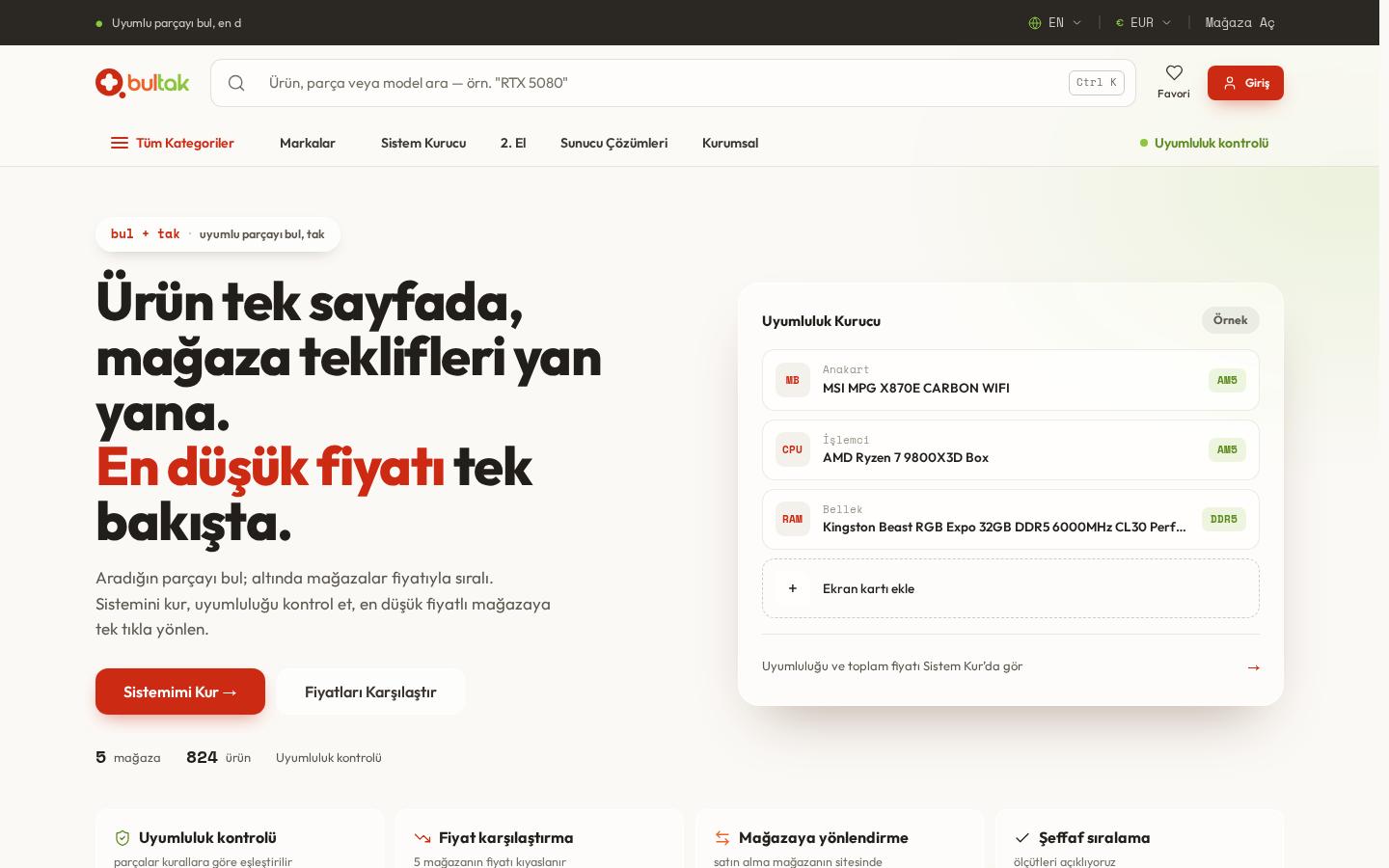
What is Bultak?
Bultak takes its name from the Turkish for "find + plug in". It is a computer hardware platform where visitors find a part, see what's compatible and compare its new offers and any second-hand listings side by side. Bultak doesn't sell anything itself: for new products, sale, delivery and returns happen at the store; for second-hand, it doesn't handle money between users.
You can explore it at bultak.com.
What's on the site?
- Compatibility engine: works out the sockets, ports and mounting points of parts and shows the rule-based matches.
- System Builder: as parts are chosen from CPU to case, only those compatible by socket, power and size stay open; builds can be saved and shared.
- Price comparison: a product's store offers on one page, sorted by price.
- New and second-hand together: the product page shows that product's used listings next to store offers.
- Condition form: a detailed form that varies by product type and asks for every detail of the item.
- Device Guide: a guide listing laptop, desktop, server and motherboard models by brand; each device page shows technical specs and compatible parts from the catalogue.
- Server Solutions: a separate showcase for server memory, SSDs and other components.
- Open a Store: where stores apply and join with a product feed.
- Language and currency: Turkish and English; prices shown in TRY, USD, EUR and GBP.
Highlights
New and second-hand on one page
This is Bultak's biggest difference. If a product has second-hand listings, they appear on its page together with new offers, so visitors compare both on one screen instead of searching separate sites. The catalogue grows every day and products in it can be sold second-hand, which keeps each listing tied to the right product.
Condition forms by product type
The real question with used hardware is its actual condition. Sellers therefore fill in a detailed form prepared for the product type and enter every detail of the item, and buyers can see this before deciding. Bultak doesn't handle money between users.
Solving compatibility up front
A wrong socket or too little power is the classic hardware shopping mistake. Rather than warning afterwards, the System Builder prevents it: each chosen part leaves only compatible options for the next step, so users with little technical knowledge can build with confidence.
From device to part
Most users don't know a part's code, but they do know the model of their device. The Device Guide therefore starts from the device: more than 70,000 laptop, desktop, server and motherboard models are listed by brand. Users find their device, see its specs and compatible parts such as RAM and SSDs, and move on to prices. These pages also act as a separate entry point for searches by model name.
Automatic matching of store products
Stores provide price and stock through a product feed address, with Google Merchant format supported. Products are matched to the catalogue by barcode, manufacturer code and brand, so offers for the same product land on one page.
Transparent ranking
A comparison site is only worth as much as its trust. Bultak's Transparency page explains how offers are ranked and how the platform earns; what a store pays doesn't affect rankings or the "lowest price" label.
Analysis table
| Topic | Status |
|---|---|
| Model | Price comparison; sale on the store's site |
| Main tools | Compatibility engine, System Builder, Device Guide |
| Device Guide | More than 70,000 models, by brand |
| Store onboarding | Product feed, Google Merchant format |
| Matching | Barcode, manufacturer code, brand |
| New and second-hand | Side by side on the same product page |
| Second-hand listing | For catalogue products, with a condition form by product type |
| Payment | No handling of money between users |
| Language and currency | Turkish, English · TRY, USD, EUR, GBP |
| Structured data | WebSite, SearchAction, Organization |
| Security | HTTPS + HSTS |
| Cookie consent | Optional cookies by choice, cookieless anonymous analytics |
For a similar project, see our services, and our retail and e-commerce page for industry needs. To see hardware compatibility at work in a store, see our Bilendenal case study.
Does Bultak sell products?
No. Bultak compares store offers and checks part compatibility. When a visitor clicks an offer they go to the store's site, where sale, delivery and returns take place.
How does second-hand selling work on Bultak?
For a product in the catalogue, the seller fills in a condition form prepared for that product type. The listing appears on the product's page together with new offers. Bultak doesn't handle money between users.
Why does compatibility matter on a comparison site?
The cheapest part is no use if it doesn't fit the system. Showing compatibility together with price reduces wrong purchases and the hassle of returns.